
When engineering enterprise integration workflows that connect to Generative AI providers—such as OpenAI, Anthropic Claude, Google Gemini, and Amazon Bedrock—the single most critical operational vulnerability is secret management. AI API keys grant direct access to high-privilege language models, token credit balances, and powerful data extraction endpoints.
Unfortunately, a common anti-pattern in early-stage development is hardcoding API keys directly inside MuleSoft property files, GitHub repositories, or XML configuration flows. If a repository is accidentally leaked or exposed, unauthorized actors can drain thousands of dollars in LLM API credits or extract sensitive enterprise data.
In this seventh guide of our Enterprise AI Integration series, we examine how to securely encrypt, store, and manage AI API keys and secrets in MuleSoft using the **Anypoint Secure Properties Module**, AES-CBC encryption, runtime argument injection, and external KMS vaults.
The Risks of Plain-Text Secrets in AI Integrations
Storing unencrypted credentials in configuration files (such as mule-app.properties or config.yaml) introduces severe compliance and security risks:
- Accidental Code Commits: Developers frequently push local configuration files to public or unsegmented Git repositories, exposing production API keys instantly.
- Insider Threats & Unrestricted Access: Any developer with read access to the project source code can view plaintext secrets, increasing the blast radius of security breaches.
- Audit & Compliance Failures: Enterprise regulatory frameworks like SOC2, ISO 27001, HIPAA, and GDPR strictly prohibit storing plaintext credentials in application source trees.
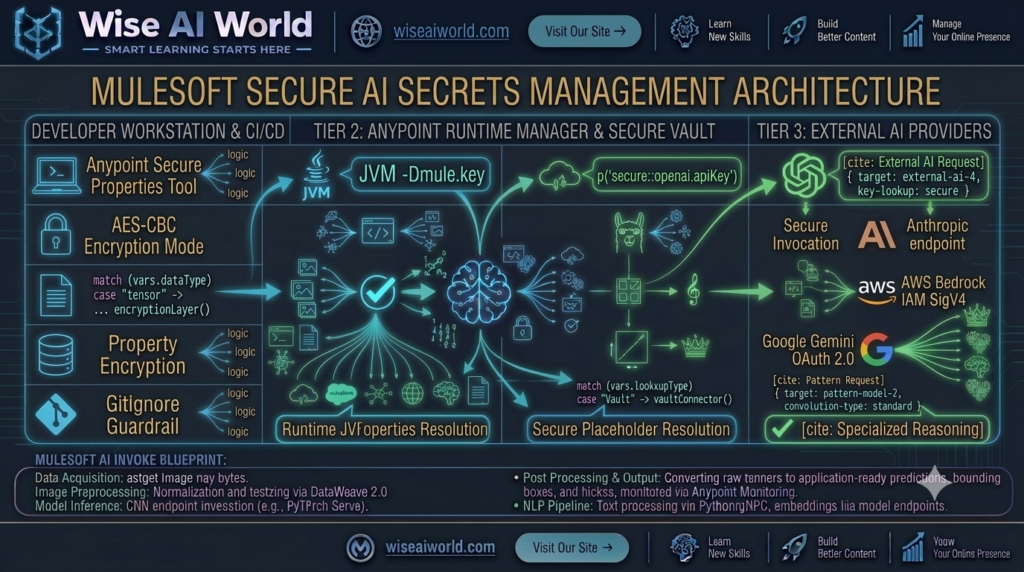
To comply with zero-trust security standards, all AI credentials must be encrypted at rest in source control, securely injected into the runtime environment via encrypted master keys, and decrypted strictly in memory at runtime.
Architectural Overview: The MuleSoft Secure Vault Pattern
The architecture below outlines how secrets move securely from developer encryption through deployment pipelines to the MuleSoft runtime:
Step-by-Step Guide: Implementing the Anypoint Secure Properties Module
MuleSoft provides the Anypoint Secure Configuration Property Module to encrypt sensitive strings (such as API keys, database passwords, and OAuth client secrets) using AES encryption algorithms in CBC or GCM mode.
Step 1: Download and Configure the Secure Properties Tool
Download the official MuleSoft Secure Properties Tool JAR file from the official MuleSoft documentation portal. Use your terminal to encrypt your plaintext AI API key with a secure master encryption key:
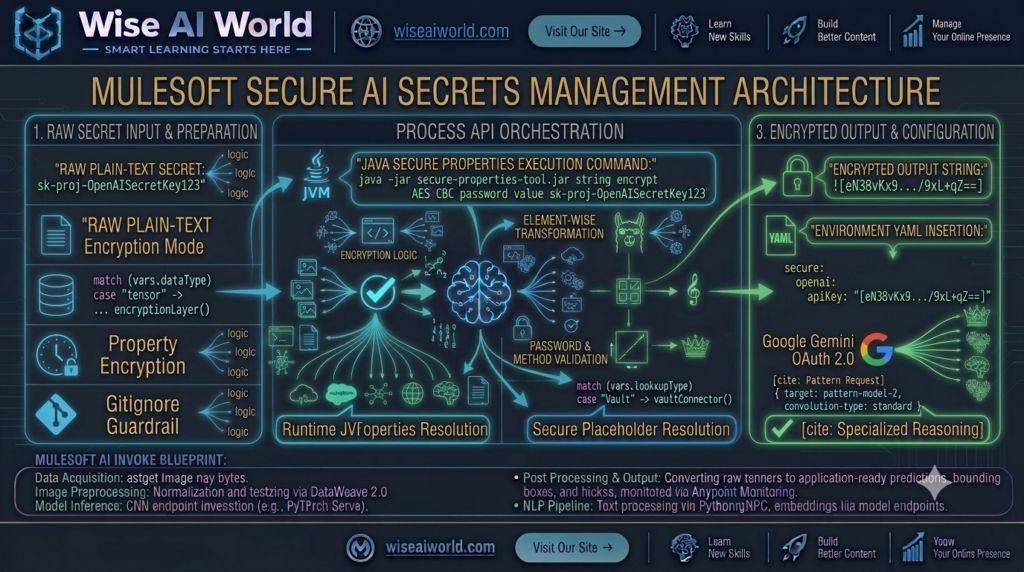
# Syntax to encrypt an OpenAI API key using AES-CBC mode
java -jar secure-properties-tool.jar string encrypt AES CBC "MasterEncryptionKey123!" "sk-proj-YourSuperSecretOpenAIKey2026"

# Encrypted Output Ciphertext Example:
# eN38vKx9.../9xL+qZ==
Step 2: Add Encrypted Secrets to Environment YAML Files
Store the encrypted ciphertext inside your environment configuration file (e.g., src/main/resources/config-dev.yaml). Notice that the ciphertext is wrapped in exclamation notation ![...]:
openai:
  host: "api.openai.com"
  port: "443"
  apiKey: "![eN38vKx9.../9xL+qZ==]"

anthropic:
  host: "api.anthropic.com"
  apiKey: "![xP92mKq1.../1zA+rT==]"

google:
  gemini:
    apiKey: "![gCp7mKq9.../4tB+yW==]"
Step 3: Define the Secure Properties Configuration in XML
Inside your global configuration file (e.g., global-configs.xml), define the secure properties configuration bean. This tells the MuleSoft runtime how to decrypt properties using the master key provided at startup:
<?xml version="1.0" encoding="UTF-8"?>
<mule xmlns:secure-properties="http://www.mulesoft.org/schema/mule/secure-properties"
      xmlns="http://www.mulesoft.org/schema/mule/core"
      xmlns:doc="http://www.mulesoft.org/schema/mule/documentation"
      xmlns:xsi="http://www.w3.org/2001/XMLSchema-instance"
      xsi:schemaLocation="
        http://www.mulesoft.org/schema/mule/core http://www.mulesoft.org/schema/mule/core/current/mule.xsd
        http://www.mulesoft.org/schema/mule/secure-properties http://www.mulesoft.org/schema/mule/secure-properties/current/mule-secure-properties.xsd">

    <!-- Secure Properties Configuration Module -->
    <secure-properties:config name="Enterprise_AI_Secure_Properties_Config"
                            file="config-${mule.env}.yaml"
                            key="${mule.key}"
                            algorithm="AES"
                            mode="CBC" />
</mule>
Runtime Secret Resolution & Deployment
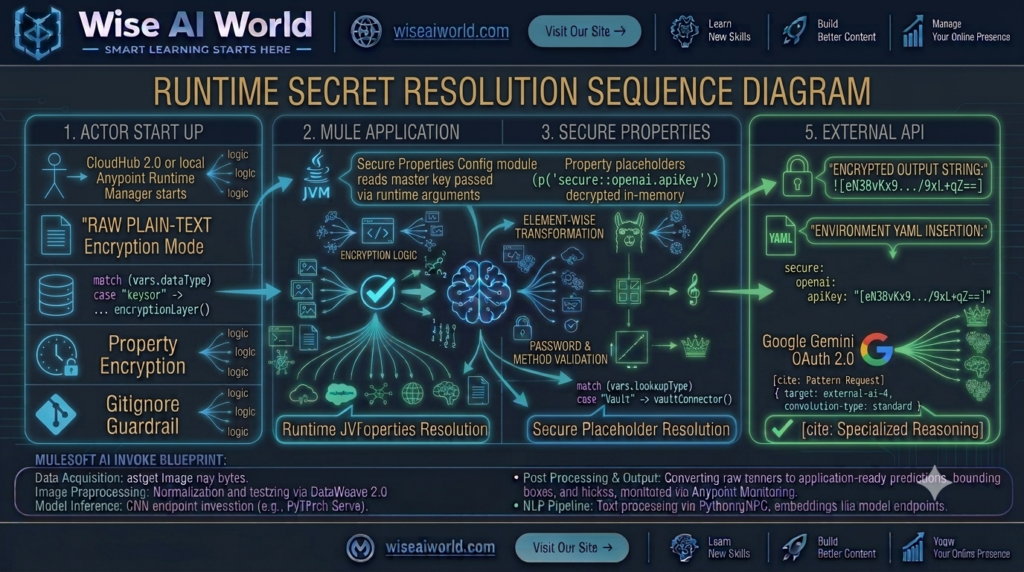
To decrypt and resolve secure properties at runtime, the master encryption key must be passed to the Mule runtime as a JVM argument (-Dmule.key=MasterEncryptionKey123!).
1. Local Anypoint Studio Run Configuration
To run your application locally in Anypoint Studio, navigate to Run As → Run Configurations → Environment, and set the following VM arguments:
-Dmule.env=dev -Dmule.key=MasterEncryptionKey123!
2. CloudHub 2.0 / Runtime Manager Deployment
когда deploying your MuleSoft application to CloudHub 2.0 or an on-premises standalone runtime via Anypoint Runtime Manager, never store the master key in code. Instead, configure mule.env and mule.key as Runtime Properties under the application’s Runtime Manager settings tab.
Reference Implementation: Using Decrypted Secrets in Flows
Once configured, reference your secure properties anywhere in your Mule flows using the secure:: prefix (e.g., p('secure::openai.apiKey')):
<?xml version="1.0" encoding="UTF-8"?>
<mule xmlns:http="http://www.mulesoft.org/schema/mule/http"
      xmlns:ee="http://www.mulesoft.org/schema/mule/ee/core"
      xmlns="http://www.mulesoft.org/schema/mule/core"
      xmlns:doc="http://www.mulesoft.org/schema/mule/documentation"
      xmlns:xsi="http://www.w3.org/2001/XMLSchema-instance"
      xsi:schemaLocation="
        http://www.mulesoft.org/schema/mule/core http://www.mulesoft.org/schema/mule/core/current/mule.xsd
        http://www.mulesoft.org/schema/mule/http http://www.mulesoft.org/schema/mule/http/current/mule-http.xsd
        http://www.mulesoft.org/schema/mule/ee/core http://www.mulesoft.org/schema/mule/ee/core/current/mule-ee.xsd">

    <flow name="secure-ai-api-invocation-flow" doc:id="g7h8i9j0-007">
        <http:listener config-ref="HTTP_Listener_config" path="/api/v1/ai/secure-invoke" doc:name="POST /api/v1/ai/secure-invoke"/>

        <ee:transform doc:name="Build Payload">
            <ee:message>
                <ee:set-payload><![CDATA[%dw 2.0
output application/json
---
{
  "model": "gpt-4o",
  "messages": [
    { "role": "user", "content": payload.prompt }
  ]
}]]></ee:set-payload>
            </ee:message>
        </ee:transform>

        <!-- Outbound HTTP Request injecting decrypted secure property -->
        <http:request method="POST" config-ref="OpenAI_Request_Config" path="/v1/chat/completions" doc:name="Invoke OpenAI with Secure Key">
            <http:headers><![CDATA[#[{
                "Authorization" : "Bearer " ++ p('secure::openai.apiKey'),
                "Content-Type"  : "application/json"
            }]]></http:headers>
        </http:request>

        <ee:transform doc:name="Format Output">
            <ee:message>
                <ee:set-payload><![CDATA[%dw 2.0
output application/json
---
{
  "status": "SUCCESS",
  "response": payload.choices[0].message.content
}]]></ee:set-payload>
            </ee:message>
        </ee:transform>
    </flow>
</mule>
Advanced Enterprise Pattern: Integrating HashiCorp Vault
For large enterprise organizations with strict regulatory mandates, static encrypted property files may not suffice. MuleSoft integrates seamlessly with external Key Management Systems (KMS) such as HashiCorp Vault or **AWS Secrets Manager** via custom properties providers or REST connectors.
In this architecture, the MuleSoft runtime fetches dynamic, short-lived AI API tokens directly from HashiCorp Vault at runtime over mTLS, eliminating static keys entirely.
Summary & Key Takeaways
Securing AI API credentials is a non-negotiable requirement for enterprise integration architects. By enforcing robust secret management practices, organizations prevent costly security breaches and maintain strict compliance.
| Secret Management Practice | Enterprise Security Benefit |
|---|---|
| AES-CBC Encryption | Ensures AI API keys are encrypted at rest inside source control YAML files. |
Runtime JVM Arguments (-Dmule.key) | Isolates the master decryption key from application binaries and source trees. |
Secure Property Prefixes (secure::) | Automatically decrypts secrets in memory during connector execution. |
| External KMS Integration | Provides dynamic, short-lived credential rotation via HashiCorp Vault or AWS Secrets Manager. |

Manish Prakash Dubey is an AI educator and technology writer based in India. He founded WiseAIWorld to make artificial intelligence simple and practical for students, professionals, and beginners. His work focuses on AI basics, machine learning, deep learning, NLP, computer vision, and real-world AI tools.
