
Since its public launch by OpenAI, ChatGPT has rapidly transformed from a viral tech novelty into an essential productivity engine used by hundreds of millions of people worldwide. From drafting software code and writing technical articles to analyzing complex business spreadsheets, summarizing PDF research papers, and translating languages, ChatGPT has redefined how humans interact with technology.
However, despite its widespread popularity, many users only scratch the surface of what ChatGPT can do—relying on simple, one-line questions that yield generic or incomplete answers. To unlock its full potential, you need to understand what ChatGPT actually is, how its underlying Large Language Model (LLM) processes information, and how to structure your prompts effectively.
In this comprehensive beginner’s guide, we break down what ChatGPT is, how it works behind the scenes, how to write high-performing prompts, and how to leverage advanced capabilities like Web Browsing, Advanced Data Analysis, Image Generation, and Custom GPTs.
1. What Is ChatGPT?
ChatGPT (Chat Generative Pre-trained Transformer) is an artificial intelligence chatbot developed by OpenAI. Unlike traditional search engines (like Google) that index web pages and return lists of links, ChatGPT is a **generative conversational AI model** that reads your prompt, understands the underlying context, and crafts a unique, human-like response in real time.
The name itself explains its technical foundation:
- Chat: Indicates its conversational, dialogue-driven user interface.
- Generative: Refers to its ability to generate brand-new content (text, code, tables, images, and structured JSON) rather than simply copying existing web text.
- Pre-trained: Means the AI was trained beforehand on vast amounts of public text, books, code repositories, and articles to learn language structures, facts, and reasoning patterns.
- Transformer: Refers to the revolutionary neural network architecture (introduced by Google engineers in 2017) that enables the AI to evaluate word context simultaneously using self-attention mechanisms.
2. How ChatGPT Works Under the Hood
To use ChatGPT effectively, you must understand a fundamental truth: ChatGPT does not “know” facts the way a human memory works, nor does it possess consciousness.
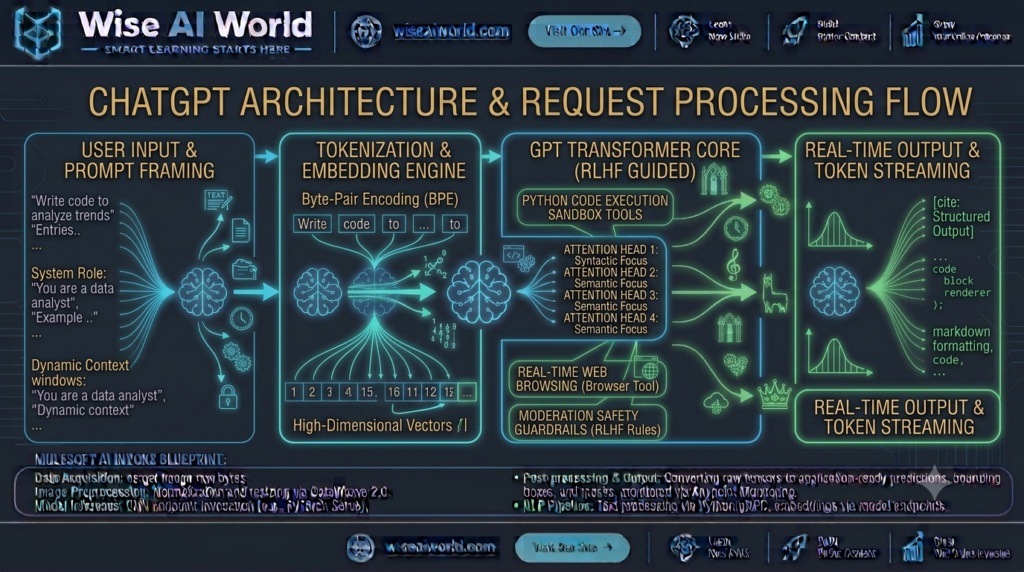
Instead, ChatGPT is a sophisticated statistical prediction engine. When you send a prompt, the system breaks your text down into subword units called tokens (1 token ≈ 4 characters or 0.75 words). It projects these tokens into a high-dimensional vector space, evaluates the relationships between words using **Self-Attention**, and calculates the mathematical probability distribution for the single most likely token to follow.
Reinforcement Learning from Human Feedback (RLHF)
Raw base models trained purely on internet text simply predict internet text—often generating toxic, unhelpful, or repetitive loops. To make ChatGPT helpful, safe, and conversational, OpenAI aligns raw models using a process called Reinforcement Learning from Human Feedback (RLHF):
- Supervised Fine-Tuning (SFT): Human AI trainers write multi-turn conversations acting as both the user and the helpful AI assistant to teach the model proper tone and structure.
- Reward Model Training: The AI generates multiple candidate responses for a given prompt, and human reviewers rank them from best to worst based on accuracy, safety, and clarity.
- Proximal Policy Optimization (PPO): The model uses reinforcement learning algorithms to adjust its internal parameters, maximizing scores from the reward model.
3. How to Use ChatGPT: Step-by-Step Account Setup
Getting started with ChatGPT takes less than two minutes:
Step 1: Create an Account
- Navigate to
chatgpt.com(or download the official ChatGPT app on iOS or Android). - Click Sign Up and authenticate using your email address, Google, Microsoft, or Apple account.
- Verify your phone number and email address to complete registration.
Step 2: Navigating the Interface
- Main Chat Canvas: The central workspace where your conversation and generated responses appear.
- Message Input Box: The text field at the bottom where you type prompts, attach documents, paste images, or trigger voice mode.
- Sidebar History: Stores your past conversation threads, allowing you to resume earlier topics or organize work.
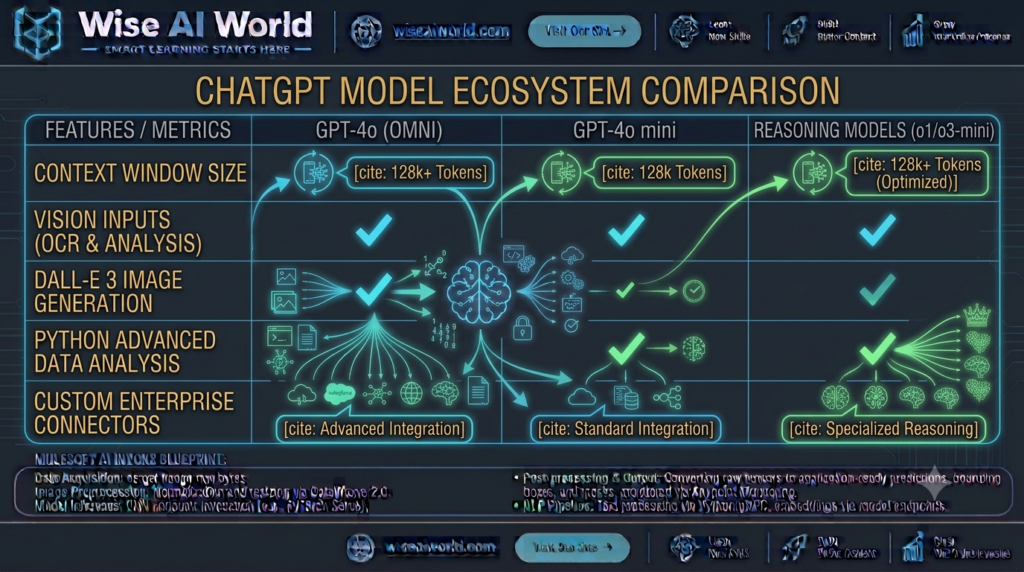
- Model Selector: Switch between default models (such as GPT-4o, GPT-4o mini, or specialized reasoning models like o1/o3-mini).
4. The Art of Prompt Engineering: How to Get Great Results
The quality of ChatGPT’s output is directly proportional to the quality of your input. This is known in computer science as “Garbage in, garbage out.” Simply typing "Write an email about a project delay" yields a generic, overly formal message. Providing a structured prompt yields a customized, professional draft.
The 5-Component Prompt Framework
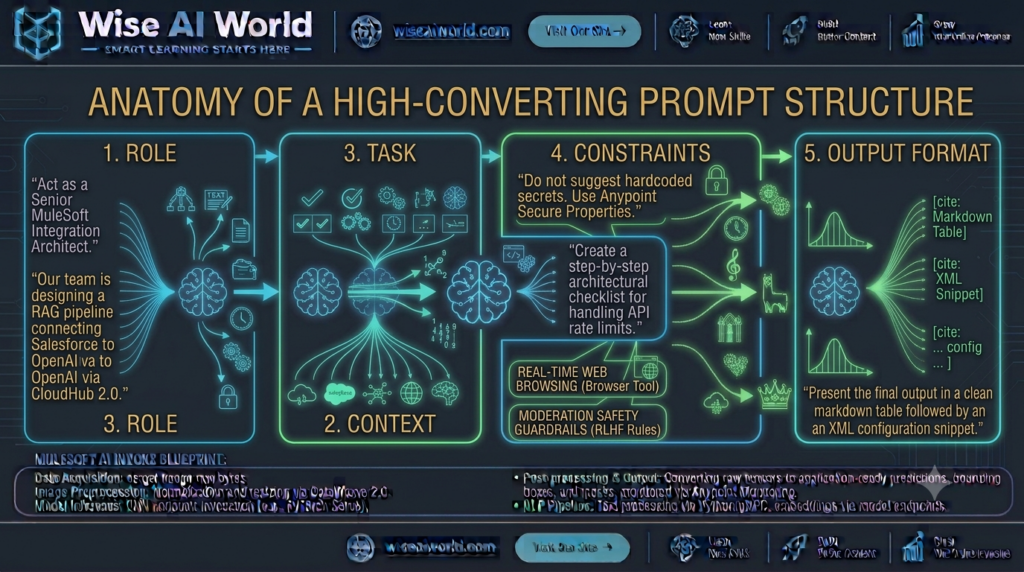
To write high-converting prompts, include the following five elements whenever possible:
| Prompt Component | Purpose | Example Implementation |
|---|---|---|
| 1. Persona / Role | Sets the perspective and domain expertise | “Act as a Senior Enterprise Integration Engineer.” |
| 2. Context | Provides relevant background facts | “We are integrating a Salesforce CRM with an external REST API using MuleSoft.” |
| 3. Specific Task | Defines the exact action required | “Write a DataWeave 2.0 script that maps nested customer arrays into a flat JSON format.” |
| 4. Constraints | Sets boundaries and rules | “Do not use hardcoded IDs. Include error handling for null payloads.” |
| 5. Output Format | Specifies how the response should look | “Format the response in a markdown block with inline comments explaining each line.” |
5. Advanced ChatGPT Capabilities & Features
Modern ChatGPT goes far beyond simple text generation. It incorporates multimodal tools that handle various data formats:
1. Web Browsing & Real-Time Research
ChatGPT can search the live web using search integration, pulling current news, official documentation, real-time weather, or financial metrics directly into conversation threads with clear source citations.
2. Advanced Data Analysis (Python Code Interpreter)
When you upload a CSV spreadsheet, Excel file, or PDF document, ChatGPT can spin up a secure, isolated Python execution sandbox. It writes and runs Python scripts behind the scenes to clean data, compute statistical metrics, build interactive graphs, and export downloadable files.
3. Computer Vision & Image Analysis
You can upload photos, architectural diagrams, handwritten notes, or UI mockups. ChatGPT uses multimodal vision models to extract text (OCR), identify component failures, analyze charts, and even convert whiteboard wireframes into working HTML/CSS code.
4. Custom GPTs & Knowledge Extensions
Users can create specialized versions of ChatGPT—called Custom GPTs—that combine custom instructions, uploaded reference files (like company policies or technical manuals), and third-party API actions without writing code.
6. Hands-On Python Code: Interacting with ChatGPT Programmatically via API
For developers looking to integrate ChatGPT’s capabilities directly into software applications, OpenAI exposes a simple REST API. Below is a complete Python script using the official openai SDK to invoke the gpt-4o-mini model:
import os
from openai import OpenAI

# 1. Initialize OpenAI client using environment variable API Key
# Set key in terminal: export OPENAI_API_KEY="sk-proj-YourKeyHere"
client = OpenAI(api_key=os.environ.get("OPENAI_API_KEY"))

def ask_chatgpt(user_question: str, system_role: str = "You are a helpful assistant."):
    """
    Executes a structured chat completion API request to OpenAI.
    """
    try:
        response = client.chat.completions.create(
            model="gpt-4o-mini", # Fast, cost-effective model
            temperature=0.2,     # Low sampling variance for factual responses
            max_tokens=400,
            messages=[
                {"role": "system", "content": system_role},
                {"role": "user", "content": user_question}
            ]
        )

        # Extract generated content and usage statistics
        answer = response.choices[0].message.content
        tokens_used = response.usage.total_tokens

        print(f"\n--- ChatGPT Response (Tokens Used: {tokens_used}) ---")
        print(answer)
        return answer

    except Exception as e:
        print(f"Error communicating with OpenAI API: {e}")

if __name__ == "__main__":
    prompt = "Explain the difference between REST APIs and WebSockets in 3 simple bullet points."
    role = "You are an expert middleware integration teacher."

    ask_chatgpt(user_question=prompt, system_role=role)
7. Understanding ChatGPT Limitations & Best Practices
While ChatGPT is remarkably powerful, users must be aware of its technical constraints to avoid common pitfalls:
- Hallucinations: Because the model predicts likely tokens mathematically rather than looking up ground truth database records, it can occasionally state plausible-sounding falsehoods with complete confidence. Always double-check critical facts, legal citations, and medical advice.
- Data Privacy & Confidentiality: Avoid entering sensitive personal passwords, proprietary trade secrets, or unmasked financial records into standard consumer chats. Review account privacy settings to control whether your conversations are used for model training.
- Context Window Limits: While modern models feature large context windows (128,000+ tokens), extremely long conversation threads can cause the model to gradually forget details mentioned early in the conversation.
8. Summary & Key Takeaways
ChatGPT is a transformative tool that shifts human-computer interaction from rigid commands to natural conversation. By understanding its underlying architecture and mastering structured prompt framing, you can dramatically accelerate your productivity across virtually any domain.
| Key Dimension | What Beginners Should Remember |
|---|---|
| Core Nature | Statistical text prediction engine trained via deep learning and RLHF. |
| Best Prompting Strategy | Provide a explicit Role, rich Context, precise Task, Constraints, and desired Format. |
| Core Multi-Modal Tools | Web Browsing, Python Data Analysis, Computer Vision, and Custom GPTs. |
| Critical Rule | Always verify critical outputs for hallucinations before using them in production. |

Manish Prakash Dubey is an AI educator and technology writer based in India. He founded WiseAIWorld to make artificial intelligence simple and practical for students, professionals, and beginners. His work focuses on AI basics, machine learning, deep learning, NLP, computer vision, and real-world AI tools.
